
POS
Take payments in person at checkout, tied to a booking or as a standalone sale.
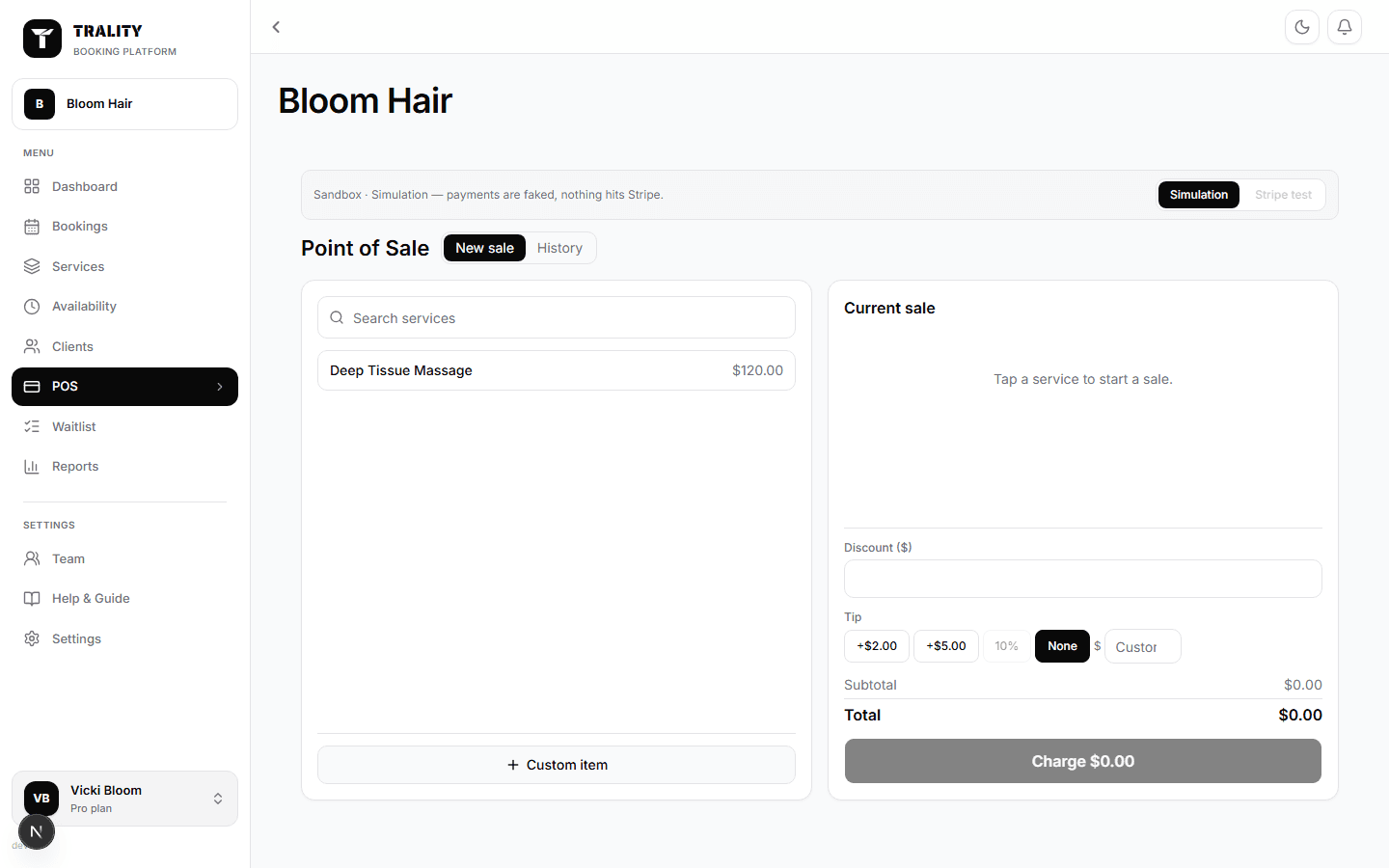
What you can do here
- Ring up services, products or a one-off amount
- Take card or cash, or split a sale across both
- Sign in with a PIN so the sale records under the right person
- Apply a discount or a tip, and issue a refund from History
What's on this screen
Signing in to the register
If your team have PINs (Team → the person → Access), the register asks for one before it will take a sale. Whoever's PIN it is gets the sale against their name, whatever account the browser is signed into — which is what you want on a shared terminal. Their name shows at the top; tap it to lock the register again.
The catalogue
Services and products as tappable tiles, with a search box and category tabs. A tile shows a badge once that item is in the cart. Custom amount adds a one-off charge for something not in the catalogue.
Current sale
The running cart on the right: each line with its quantity (+ and − to change it, or remove it entirely), then the subtotal, any discount or tip, and the total. Everything recalculates as you go, so the amount charged always matches what's on screen.
Client and team member
Attach the client so the sale lands in their history, and the team member so it counts toward their takings. Both are filled in for you when the sale came from a booking via Add to sale.
Discount and Tip
Discount takes a percentage or a fixed amount off the subtotal. Tip adds to it. Both are stored on the sale, so the receipt, the client's history and your reports agree.
Charge
Card sends the amount to your Stripe reader; Cash asks what you were handed and shows the change. Split takes part of the total one way and the rest another — the balance due updates as each payment lands, and the sale closes when it reaches zero.
Receipts
After payment you can email a receipt to the client. It uses whatever address is on the sale, so a walk-in without one simply doesn't get the option.
History
Every sale with its date, time, items, staff member and total. Open one to re-send the receipt or refund it — in full or partially, back to the original payment method. Refunds check the PIN holder's own permissions, not just whoever is logged in.
Sandbox mode
The toggle in the header runs the register in simulation: payments are faked and nothing reaches Stripe. Use it to train someone or to try a flow without moving money.
